Spec Card SPEC CARD
NVIDIA A2
A 40-60W adjustable ultra-low-power, half-height, single-slot card with 16GB of memory — in a class of its own among low-power cards. There's virtually no alternative for edge servers and vDI virtualization.
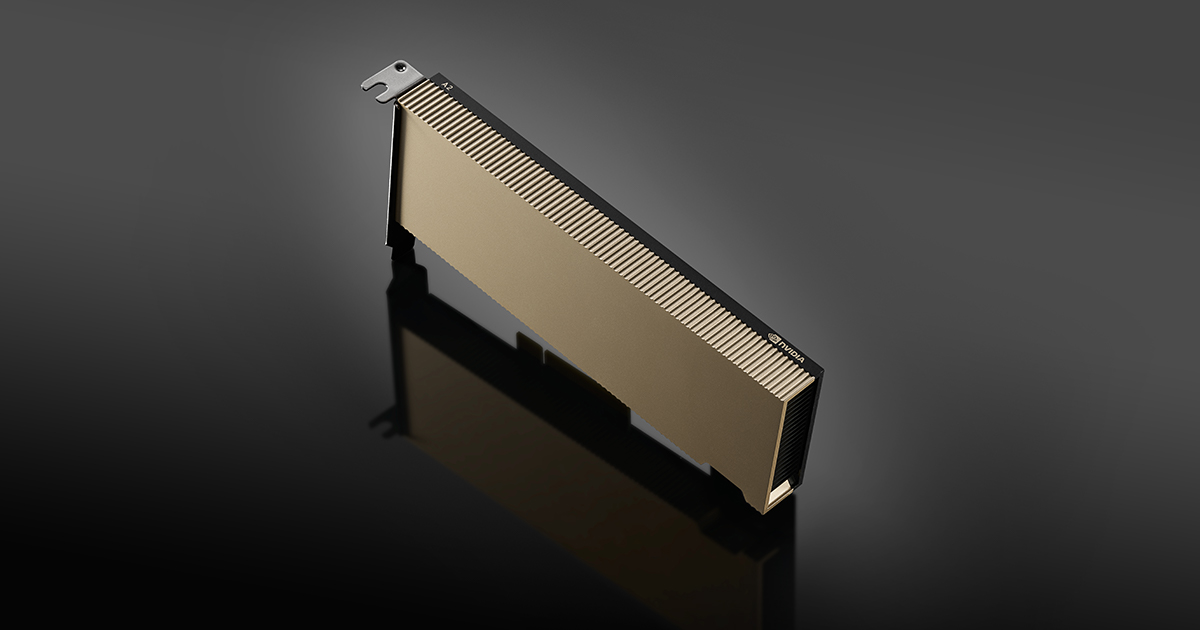
NVIDIA official product image
Overview
The NVIDIA A2 is an Ampere-based data center GPU built with a half-height, single-slot, low-power design. Its board-level TDP can be configured between 40W and 60W, making it a low-power inference card aimed at edge and virtualization workloads. It carries 16GB of GDDR6 memory with 200GB/s bandwidth, delivers 4.5 TF of peak single-precision compute, and comes with Tensor Cores and RT Cores, supporting multi-precision acceleration across TF32, FP16, INT8, and INT4, while connecting to the host via PCIe Gen4 x8. The card also integrates one video encode engine and two decode engines (including AV1 decode), making it well suited for edge servers, hyper-converged nodes, and vDI virtualization environments where space, power, and cooling are constrained, handling sustained workloads such as inference, transcoding, and desktop virtualization.
Core Specs
| Architecture | NVIDIA Ampere |
| Memory | 16 GB GDDR6 |
| Memory Bandwidth | 200 GB/s |
| FP32 Performance | 4.5 TF |
| FP16 Performance | 18 TF | 36 TF |
| INT8 Performance | 36 TOPS | 72 TOPS |
| Power (TDP) | 40–60W (configurable) |
| Interconnect | PCIe Gen4 x8 |
| Form Factor | 1-slot, low-profile PCIe |
| Video Engines | 1 video encoder / 2 video decoders (includes AV1 decode) |
Specs verified against official documentation (
official benchmarks , updated 2026-10-09) · actual price subject to the seller's quote
Use Cases
- Edge server AI inference: Run INT8/FP16 inference workloads such as image recognition, speech, and NLP in edge facilities or on-site deployments with limited power and cooling. At 40-60W total board power, the A2 can be deployed densely without any power infrastructure upgrades.
- vDI virtual desktop infrastructure: Provide GPU sharing and media acceleration for virtual desktops. The half-height single-slot form factor enables high-density card layouts in 2U servers, and the dual video decode engines improve concurrent desktop experience.
- Video transcoding and streaming: Leverage the media engines, including AV1 decode, to handle transcoding and protocol conversion for live and on-demand streaming at low power, cutting long-term electricity costs at edge nodes.
- Lightweight training and model fine-tuning: Train or fine-tune small models at TF32/FP16 precision — a good fit for labs and SMB private deployments with limited budgets and power.
Same-Family Models
| Model | Memory | Power |
|---|
| NVIDIA T4 Compare | 16GB GDDR6 with ECC (enabled by default) | 70W (total board power, default) |
| NVIDIA A100 Compare | Dual versions: 40GB HBM2 / 80GB HBM2e (80GB added at SC20 on 2020-11-16), with ECC | SXM4 400W (same for 40GB/80GB); PCIe version 250W for 40GB / 300W for 80GB |
| NVIDIA H20 Compare | 96GB HBM3 (consistent across Flopper, VipraTech, and Tencent News sources) | 400W TDP (three sources: Flopper, VipraTech spec sheet, and Tencent News' "400W thermal design power"; VipraTech's body text also cites 350W, a conflicting figure that has been discarded) |
| NVIDIA GB300 Compare | 288GB HBM3e (per GPU package; 576GB for the superchip; HGX board-level 2.1TB / rack-level 20TB coexist) | TGP up to 1400W |
| NVIDIA A30 Compare | 24 GB HBM2 | 165 W |
| NVIDIA GeForce RTX 4090 Compare | 24GB GDDR6X | 450W TGP (315W average gaming, 850W recommended system power) |
Video Overview VIDEO
Related Articles
GTA 2 Gets RTX Remix Mod With Full Path Tracing and 60 FPS Frame Generation2026-09-26Icelandic audio simulation startup Treble raises $18M Series A2 to bring sound to robotics2026-09-18Treble Technologies raises $18M Series A2 to simulate sound for robots2026-09-18Apple's iPhone 18 Pro Debuts With 2nm A20 Pro Chip and Variable Aperture Camera2026-09-14Procurement & Inspection Notes
- Confirm power and cooling planning: The A2's board TDP is configurable between 40-60W, so verify the factory power setting with the supplier before purchase. Also confirm that the server supports half-height (low-profile), single-slot installation — standard full-height, full-length GPU bays are not directly compatible.
- Verify interconnect and host compatibility: The card uses a PCIe Gen4 x8 interface and is backward compatible with Gen3 platforms, but check the physical slot specs on the server motherboard and BIOS support. Before purchase, clarify whether you need to order accessory brackets, shrouds, and similar structural parts in bulk.
- Pay attention to sourcing and inspection: Confirm the units are genuine data center versions, check the memory capacity (16GB GDDR6), serial numbers, and official warranty status. For bulk deployments, sample-test Full Load power draw, temperatures, and driver stability to keep mining or modified cards out of your fleet.
FAQ
NVIDIA A2 vs. T4 — which should I choose?
The two are similarly positioned as low-power inference cards. The A2 is based on the newer Ampere architecture, supports TF32 and newer Tensor Core precision tiers, and its TDP is configurable between 40-60W with a lower power floor. When choosing, weigh your actual inference precision needs, server slot form factor (the A2 is half-height single-slot), and driver ecosystem, and rely on official benchmark data rather than vague comparisons.
Is the A2's 16GB memory and 200GB/s bandwidth enough for large models?
The A2 is built for low-power edge inference and virtualization; 16GB of memory suits Quantization-compressed small-to-mid-size models, or sharded and Distillation-based deployments of larger ones. For models with larger parameter counts, look at high-end cards with more memory and bandwidth — the A2 was not designed for full-scale large-model inference.
What's the difference between the A2's 40W and 60W power modes, and how do I set them?
The A2's TDP is configurable between 40W and 60W. Higher power tiers raise the available compute ceiling but increase heat and consumption. The tier is typically set by the OEM at the factory or adjusted via management tools, so confirm the delivered setting with your server vendor. In enclosed edge environments, a lower tier is preferable to simplify cooling.